Are you using Fusion 360 addons to their full potential? If not, you’re leaving serious productivity gains on the table.
Autodesk Fusion 360 is already a comprehensive 3D design software providing an all-in-one solution for product development. However, the right plugins and extensions can dramatically change how fast you work and what you can deliver. While recent updates have certainly improved the software’s performance—making it load and process large models much faster—fusion 360 add-ins take functionality to another level. Specifically, tools like GridfinityGenerator create parametric bin bodies in seconds, while others like the Nesting & Fabrication Extension automatically detect material properties and thickness.
In this article, we’ll explore five must-have fusion 360 add ons that will transform your workflow in 2026. From the best fusion 360 addons for fabrication to specialized fusion plugins for rendering, we’ve tested and selected only the tools that deliver real productivity gains. Despite the Fusion App Store being full of options, these five stand out for their ability to streamline your design and manufacturing projects.
GridfinityGenerator

Image Source: Reddit
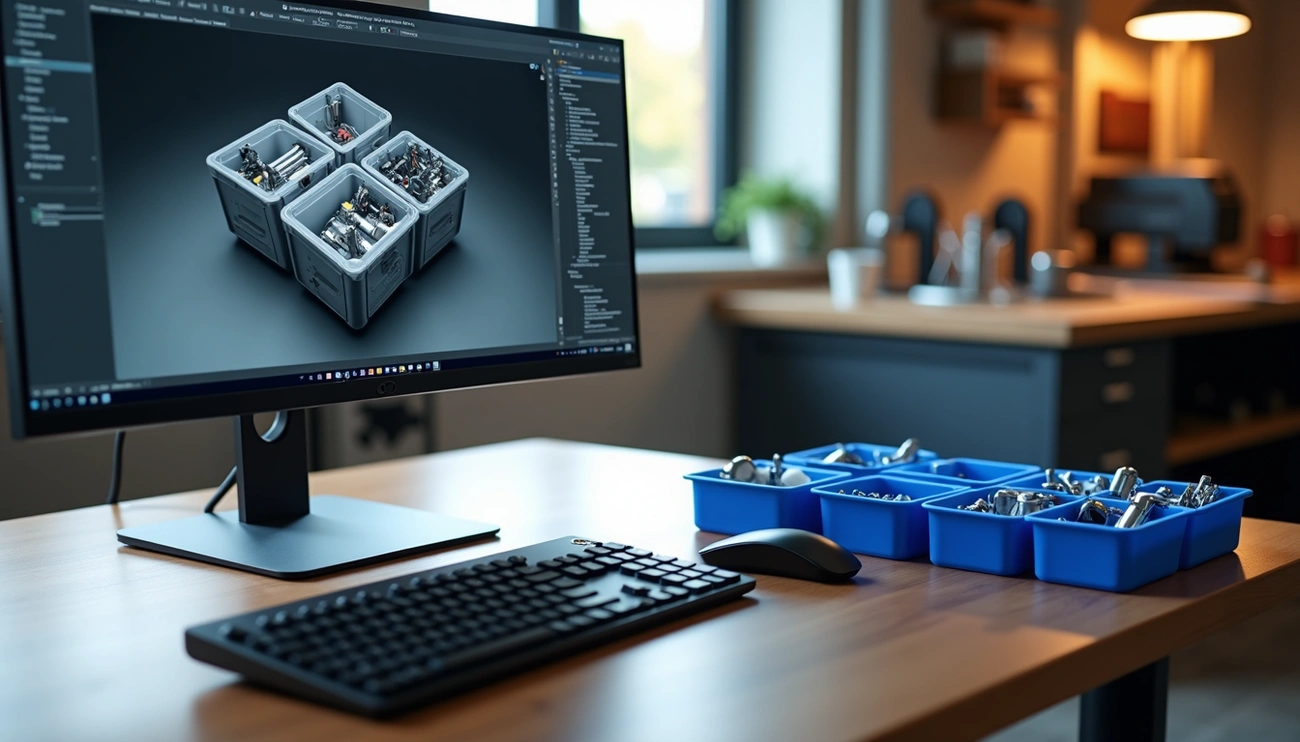
Looking for a quick way to create custom storage solutions in Fusion 360? The GridfinityGenerator add-in might be exactly what you need to organize your workspace and streamline your design process.
What is GridfinityGenerator
GridfinityGenerator is a powerful Fusion 360 add-in that allows for quick generation of customized Gridfinity bins and baseplates. For those unfamiliar with Gridfinity, it’s a modular storage system designed to keep workbenches organized with standardized, stackable containers. This add-in brings that organizational power directly into your Fusion 360 workflow.
Unlike web-based generators, the GridfinityGenerator add-in operates entirely within Fusion 360, creating fully parametric bin bodies and baseplates that can be easily modified before exporting. The tool offers two main commands:
- Gridfinity bin generation – Creates customizable storage containers
- Gridfinity baseplate creation – Produces platforms that bins can sit on
What makes this add-in particularly valuable is that all generated components remain fully parametric, meaning you can adjust dimensions and features at any time through Fusion 360’s timeline. Furthermore, the add-in can generate solid bin bodies that serve as excellent starting points for creating specialized tool bins.
How GridfinityGenerator speeds up workflow
The GridfinityGenerator add-in dramatically accelerates the design process by eliminating the need to build Gridfinity components from scratch. Instead of spending hours creating these storage solutions manually, you can generate them with just a few clicks.
Once installed, accessing the tool is straightforward. Within Fusion 360’s DESIGN workspace, simply navigate to the SOLID section, click on the CREATE dropdown list, and select either “Gridfinity bin” or “Gridfinity baseplate”. A dialog with customization parameters then appears, allowing you to specify:
- For baseplates:
- Dimensions (default size is 42mm)
- Choice between light skeleton plates or thicker versions
- Options for magnet sockets or screw holes
- For bins:
- Number of bases in X and Y directions
- Height settings
- Wall thickness preferences
- Stackability features like notched lips
After setting your parameters and clicking OK, the add-in generates a fully parametric body that you can immediately use or further customize. Additionally, since the bodies are created through Fusion 360’s parametric modeling system, you can revisit and edit any feature in the timeline.
The real efficiency gain comes from the ability to make precise adjustments to dimensions, hole placements, and other parameters without starting over. This iterative capability allows for rapid prototyping and refinement of storage solutions tailored to specific needs.
GridfinityGenerator pricing
One of the most appealing aspects of GridfinityGenerator is its accessibility—the plugin is completely free to use. While it requires a licensed version of Fusion 360 to function properly, there are no additional costs for the add-in itself.
For those wishing to support the developer, there are voluntary contribution options available through “buy me a coffee” or Patreon subscription at https://www.patreon.com/levmishin. This optional support model keeps the tool accessible to all users while allowing those who find value in it to contribute to its ongoing development.
The free nature of this add-in makes it an excellent addition to any Fusion 360 toolkit, regardless of whether you’re a professional, maker, or hobbyist.
Ideal use cases for GridfinityGenerator
The GridfinityGenerator add-in shines in several specific scenarios:
1. Workshop Organization Systems For makers looking to bring order to chaotic workbenches, this add-in allows quick creation of custom storage solutions. The parametric nature means you can design containers that perfectly fit your specific tools, parts, and supplies.
2. Specialized Tool Storage The solid bin generation option provides an excellent starting point for designing containers tailored to specific tools or equipment. For instance, you could create a custom holder for oversized volcano nozzles by starting with a solid 4×2 bin and then customizing it to fit.
3. Modular Drawer Systems Beyond simple bins, the parametric nature allows for creating complex storage systems like drawer units. These can be configured with varying numbers of drawers and specific internal layouts.
4. Compartmentalized Storage For projects requiring multi-compartment storage, the add-in provides options to create uniform compartments or fully customized layouts. This is particularly useful for organizing small components like electronic parts or fasteners.
5. Rapid Prototyping of Storage Solutions When you need to test different storage configurations before committing to 3D printing, the ability to quickly generate and modify designs makes this add-in invaluable.
The GridfinityGenerator add-in exemplifies how specialized fusion 360 plugins can significantly enhance productivity by automating repetitive design tasks. Through its parametric design capabilities and intuitive interface, it enables rapid creation of customized storage solutions that would otherwise require substantial time investment to build from scratch.
SendCutSend Integration

Image Source: SendCutSend
If you’ve ever needed custom metal parts fabricated without leaving your design environment, the SendCutSend Integration for Fusion 360 offers a seamless bridge between design and manufacturing.
What is SendCutSend Integration
The SendCutSend integration is a powerful Fusion 360 add-in that connects your design workspace directly to SendCutSend’s custom sheet metal fabrication services. Founded in 2018, SendCutSend specializes in high-quality custom metal fabrication using advanced equipment like AMADA fiber laser cutters.
This integration allows you to obtain real-time pricing for your parts directly within Fusion 360, eliminating the need to export DXF or STEP files and manually upload them to SendCutSend’s website. As one of the most practical fusion 360 add ins available, it creates a direct pipeline from design to production.
The plugin automatically detects your part’s thickness, bends, and other parameters when you create sheet metal bodies in Fusion 360. You can select from SendCutSend’s available materials, and the plugin will update your design accordingly in your account.
Compatible with both Mac and Windows operating systems, the integration requires minimal setup—just three clicks to select materials, view quotes, and add parts to your cart. Moreover, the plugin automatically recognizes sheet metal bodies created using either the Flange tool or by converting existing bodies.
How SendCutSend Integration speeds up workflow
The primary advantage of this fusion 360 addon is its ability to dramatically streamline the design-to-production process. Prior to this integration, designers needed to:
- Design their parts in Fusion 360
- Export files in DXF/STEP format
- Upload files to SendCutSend’s website
- Configure materials and options
- Review pricing
- Place an order
Now, all these steps occur within a single environment. The integration:
- Automatically detects the thickness of your part and provides a matching list of available materials
- Shows live pricing quotes without requiring you to leave Fusion 360
- Adds parts directly to your cart with one click
- Allows immediate design adjustments based on cost feedback
As one user testimonial notes: “Anything that helps with the process of going from concept to physical parts is a huge help, and this saves me time from downloading/exporting my designs and takes them right to the service I use to make my parts. I particularly like the ability to compare prices by material and thickness so that I can design around cost constraints right from Fusion!”
The plugin’s ability to provide instant design feedback creates a more iterative approach to design. You can immediately see how design changes affect manufacturing costs, essentially integrating Design for Manufacturing (DFM) principles directly into your workflow. This feedback loop is especially valuable during the prototyping phase, allowing you to optimize designs for cost-effectiveness before committing to production.
SendCutSend Integration pricing
One of the most appealing aspects of this fusion plugin is its cost—the SendCutSend Fusion 360 integration is 100% free for SendCutSend customers. There are no subscription fees or hidden charges for accessing this functionality.
Of course, while the plugin itself is free, you’ll still pay for the actual manufacturing services provided by SendCutSend. Their production timeline typically runs 2-4 days for standard production of laser-cut parts, tube cutting services, and multiaxis CNC machining. Additional services like CNC bending (+1-2 days), counterboring (+1-3 days), dimpling (+1-3 days), and various finishing options are available at extra cost with additional production time.
According to a testimonial, the plugin may even provide access to exclusive discounts: “Access an additional discount with our exclusive link!”, though specific discount details weren’t provided in the source material.
Ideal use cases for SendCutSend Integration
This fusion 360 add on shines in several specific scenarios:
Rapid Prototyping The integration is ideal for prototyping metal parts quickly. As stated by one source, it “removes the friction of exporting DXFs, checking tolerances manually, and uploading files via a browser; you get real-time cost feedback inside your design environment”. This real-time feedback allows designers to iterate rapidly without switching between platforms.
Small Batch Production SendCutSend handles everything from one-off custom pieces to orders with upward of 10,000 units, making the integration perfect for small batch manufacturing where setting up traditional manufacturing would be cost-prohibitive.
Complex Sheet Metal Fabrication The integration especially benefits those working with complex sheet metal designs that require precise bends, cuts, and additional features like hardware installation. The plugin automatically recognizes these features and provides accurate pricing.
Enterprise Manufacturing Solutions Interestingly, SendCutSend found that their streamlined approach attracted Fortune 500 companies within their first year of operation. The integration facilitates enterprise-level manufacturing by providing the same simplified ordering process with professional-grade results.
Design Cost Optimization For designers working within budget constraints, the integration allows for immediate material and thickness comparisons to optimize designs around cost requirements. This capability is particularly valuable for freelancers and small businesses with tight budgets.
The SendCutSend integration exemplifies how specialized fusion 360 addons can transform the relationship between design and manufacturing. By creating a direct connection between your CAD environment and production facilities, it eliminates traditional barriers and accelerates the journey from concept to physical parts.
Airfoil Tools

Image Source: YouTube
Designing aerodynamic components just got easier with one of the most specialized fusion 360 add ins available. Airfoil Tools transforms how engineers and designers create wings, fins, ducts, propellers, and turbines by eliminating guesswork and complex calculations.
What is Airfoil Tools
Airfoil Tools is a powerful Fusion 360 add-in that allows users to insert optimal aerofoil or hydrofoil shapes directly into their designs. The plugin operates through the sketch environment, adding an “Airfoil” menu option that provides access to mathematically optimized shapes for various applications.
At its core, this fusion 360 addon includes an impressive database of 1440 foil shapes – 768 base foils optimized for excellent lift with low drag and another 768 base strut shapes designed for minimal drag. These shapes aren’t just random profiles; they represent thousands of CPU-hours of particle-swarm genetic optimization work across 64 representative Reynolds numbers and 12 flow regimes.
The tool’s capabilities extend beyond simple shape insertion. Users can:
- Generate, import, and export airfoil data in various formats
- Re-spline input data for smoother curves
- Set minimum thicknesses to ensure manufacturability
- Scale and join profiles to chosen locations
- Rotate profiles by arbitrary amounts
- Flip profiles when needed
- Add constraints for parametric control
- Wrap profiles around axes (useful for propellers)
- Insert ellipses for wingtip designs
What sets this plugin apart from similar tools is its foundation in extensive research. The developer notes that the included database typically outperforms other shapes available online, often by significant margins—30% improvement is common, with some cases showing 200% better lift-to-drag ratios.
How Airfoil Tools speeds up workflow
First, consider the traditional airfoil design process: engineers would typically search databases, download files, clean up data, convert formats, import into Fusion 360, and then perform additional operations to get usable geometry. This process might take hours for a single profile.
Conversely, with Airfoil Tools, designers can specify what they need in everyday terms and the add-in inserts the optimal shape instantly. The workflow acceleration comes from several key capabilities:
- Immediate access to optimized shapes – Rather than searching through libraries like airfoiltools.com and manually importing data, optimal shapes are available with a few clicks.
- Parametric integration – Shapes are inserted directly into the sketch environment where they can be extruded, revolved, or otherwise manipulated.
- Context-aware optimization – The add-in considers multiple variables simultaneously including size, speed, turbulence, altitude/depth, medium properties, and surface finish to deliver truly optimal shapes.
- Automatic repair functionality – The tool can automatically repair problematic airfoil data files, saving hours of manual cleanup.
One particularly valuable feature is the add-in’s ability to handle .DAT files in both Selig and Lednicer formats, along with CSV files. This compatibility means you can use existing data from sources like airfoiltools.com alongside the optimized profiles included in the add-in.
Airfoil Tools pricing
Given its advanced capabilities, one might expect a premium price tag for this fusion plugin. Yet, surprisingly, Airfoil Tools is completely free to use. The developer released it after approximately eight years of research into foil optimizations.
Although the base tool is free, the developer has mentioned plans for future optimization services with different range targets and optimal weights available via cloud service to better suit exact user needs. These advanced services may come with associated costs, yet no specific pricing was mentioned in the source materials.
The free nature of this advanced tool makes it accessible to all Fusion 360 users, from hobbyists to professional aerospace engineers. This accessibility has made it one of the best fusion 360 addons for anyone working with fluid dynamics.
Ideal use cases for Airfoil Tools
Given its specialized nature, Airfoil Tools excels in several specific applications:
Aerospace Design The add-in is ideal for designing aircraft components including wings, control surfaces, and structural elements. Users designing model aircraft have reported excellent results, praising the tool for providing the right parameters and being easy to use while producing great results.
Marine Applications Boat designers, particularly those working on sailboats and hydrofoils, benefit from the tool’s ability to optimize underwater surfaces. One user testimonial specifically mentioned using it for sailboat design with great success.
Wind Turbine Development The add-in supports both traditional and ducted turbine designs, making it valuable for renewable energy applications. The developer noted that ducted turbines are partially supported, with plans for expanded capabilities.
Racing and Competition Design For applications where performance margins matter, the optimized profiles can provide competitive advantages. One user reported designing “small speedwings that outperforms what is currently available on the market”.
Educational Settings The tool’s ability to visualize and manipulate airfoil shapes makes it valuable in educational contexts where students can experiment with aerodynamic principles in a practical way.
Ultimately, Airfoil Tools showcases how specialized fusion 360 plugins can address highly technical challenges while remaining accessible. For anyone working with moving fluids or gasses, this add-in represents a significant opportunity to improve designs while reducing development time. Whether you’re creating drones, RC aircraft, boat components, or industrial fans, the optimization capabilities provide meaningful performance improvements without requiring advanced fluid dynamics expertise.
Nesting & Fabrication Extension
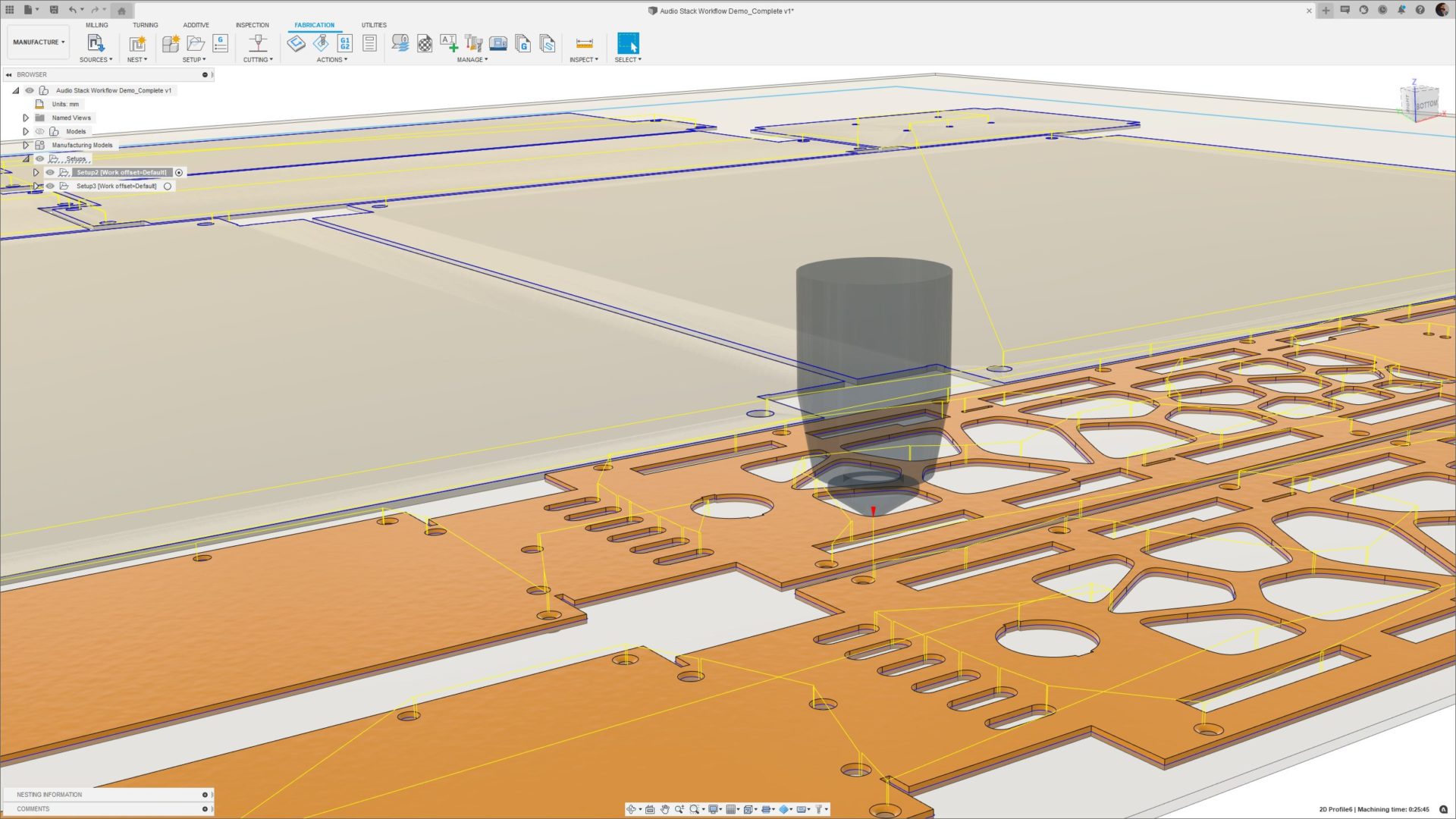
Image Source: Autodesk
For manufacturers and fabricators, material waste often represents 40-60% of total production costs—a challenge the Nesting & Fabrication Extension was specifically designed to address. This powerful fusion 360 add on transforms how you prepare components for CNC cutting operations.
What is Nesting & Fabrication Extension
The Nesting & Fabrication Extension is an advanced Fusion 360 addon that creates optimized and associative multi-sheet layouts for sheet metal and non-sheet metal parts in preparation for cutting on CNC machines. This extension automates the nesting process—the systematic placement of 2D profiles onto raw material to maximize material utilization while minimizing cutting time.
Key capabilities include:
- Automated material detection – The extension automatically identifies and separates parts into different materials and thicknesses
- Multi-sheet nesting – Generate optimized nests across multiple sheets with quantity detection
- Advanced part controls – Specify allowed rotations, deviations, and increments for initial part orientations
- Process material library – Store available material and stock information in a shared library
- Comparison tools – Evaluate key metrics like cost, material usage, and stack size
In essence, this fusion plugin eliminates the timely, non-value-added process of manually arranging parts for manufacturing, which typically results in excess material usage. Through automation and built-in intelligence, it creates efficient cutting patterns while maintaining associative connections to your original designs.
How Nesting & Fabrication Extension speeds up workflow
The extension minimizes programming time and maximizes manufacturing time through several automation features. First, it automatically assesses material usage across an entire assembly by identifying and separating parts into different materials and thicknesses. This process happens automatically, saving significant programming time compared to manual methods.
Subsequently, the extension streamlines manufacturing setup creation. A setup defines your stock material, coordinate system, and the models you want to machine—traditionally a manual process. The Nesting & Fabrication Extension automates this through intelligence gained from the nesting process.
One particularly powerful aspect is its fully associative nature. When design changes occur—whether it’s a simple adjustment to allowable rotations or a fundamental design modification—the extension automatically consumes these changes. Nests are flagged as outdated after a design change, providing a visual indicator to regenerate. This associativity ensures you’re consistently working with the most current version of your designs.
Additionally, the extension supports toolpath templates that store repeatable operations, further reducing programming time. Anyone working in the same Hub can benefit from these stored templates, promoting part consistency across your business.
The workflow gains are substantial—customers report cutting project timelines in half while simultaneously increasing profit margins and lowering costs. As one user noted, “What used to take a month we can now do in two weeks”.
Nesting & Fabrication Extension pricing
The Nesting & Fabrication Extension requires a valid Fusion 360 subscription as a prerequisite. While specific pricing details weren’t provided in the factual keypoints, the extension is available as an additional purchase to your base Fusion 360 license. For current pricing information, Autodesk recommends contacting sales representatives or authorized resellers.
Given the substantial material savings—one case study showed a reduction in expected scrap from 25% to just 5% of any given sheet—the return on investment can be rapid, especially for businesses regularly processing sheet materials.
Ideal use cases for Nesting & Fabrication Extension
This fusion 360 addon excels in several applications:
Sheet Metal Fabrication The extension is ideal for manufacturers cutting components on laser, plasma, waterjet, or router CNC machines. It handles both sheet metal and non-sheet metal parts, providing significant material optimization across all cutting operations.
Millwork and Custom Furniture Custom furniture manufacturers and millwork specialists report dramatic efficiency gains. One company specializing in high-end residential furniture and custom architectural millwork achieved accelerated engineering and manufacturing across all projects.
High-Mix, Low-Volume Manufacturing The benefits compound in high-mix, low-volume environments where frequent changeovers and short runs make manual nesting impractical. The automation capabilities significantly reduce programming time for these complex scenarios.
Multi-Material Projects For projects involving various materials, the extension’s ability to automatically sort and organize by material type and thickness creates significant time savings. This feature is particularly valuable for shops working with diverse material types.
Quoting and Estimating The extension supports comparing how varying quantities, sheet dimensions, and prices affect total costs. This capability streamlines the quoting process, allowing businesses to evaluate different manufacturing scenarios before committing to a specific approach.
In conclusion, the Nesting & Fabrication Extension represents one of the best fusion 360 addons for manufacturers seeking to optimize material usage and streamline CNC programming. By automating what was previously a tedious manual process, it delivers substantial time and material savings while maintaining the associative benefits of the Fusion 360 ecosystem.
SimLab Composer Integration

Image Source: SimLab Soft
Visualization brings designs to life, and with the SimLab Composer Integration for Fusion 360, your models can now seamlessly transform into interactive VR experiences, stunning renders, and shareable 3D PDFs.
What is SimLab Composer Integration
SimLab Composer Integration is a free plugin that functions as a middle layer between Fusion 360 and SimLab Composer application. Unlike standard export processes, this fusion plugin creates an active link that keeps designs shared and data synchronized between both platforms.
The integration enables you to transfer your Fusion 360 scene to SimLab Composer at any point during your design session. In fact, every design change made in Fusion 360 automatically updates inside Composer while preserving any modifications made within SimLab.
This fusion 360 add on supports both Windows and macOS, working with Fusion 2023 and older versions. The plugin’s settings allow you to control model scale and up vector, with defaults that work automatically for most models.
How SimLab Composer Integration speeds up workflow
First, this integration eliminates the repetitive export-import cycle typically required when moving between design and visualization platforms. Consequently, you can focus on creating rather than managing file transfers.
Second, the plugin streamlines several key visualization workflows:
- VR Experience Creation: Create advanced interactive VR experiences from your Fusion models in minutes
- Animation Development: Add camera movements, material changes, object animations, and hide/show functions
- Rendering Enhancement: Apply SimLab’s superior material library and real-time rendering to observe changes instantly
- 3D PDF Generation: Export your models with actions, materials, and animation sequences as interactive 3D PDFs
As well as these capabilities, the integration preserves your design hierarchy and metadata, ensuring no information is lost during transfer. The hybrid rendering system optimally uses both CPU and GPU, therefore allowing you to continue editing even during rendering.
SimLab Composer Integration pricing
The integration plugin itself is completely free[244]. Nevertheless, you’ll need a license for the SimLab Composer application to use its features. SimLab Composer offers several pricing tiers:
SimLab Composer provides a free trial license for 21 days, after which you can continue using it in Lite mode with limited functionality. For full functionality, subscription licenses are available that keep you updated with the latest versions.
Educational discounts are substantial – personal educational licenses for K-12, colleges, universities, or training centers offer 50% off regular pricing. Furthermore, special pricing exists for university and school VR labs with 30+ machines.
Ideal use cases for SimLab Composer Integration
This fusion 360 add on excels in various visualization scenarios:
Architectural Visualization: Architects can generate exterior renderings, interior views with furniture from SimLab’s library, and sectional views showing spatial relationships.
VR Design Reviews: Create immersive VR experiences allowing clients and designers to experience spaces before construction. The VR capabilities include advanced features like physics, climbing, quizzes, and even AI support.
Product Presentations: Generate interactive 3D PDFs that can be shared with clients for review and navigation through different design stages. These files can be viewed on Windows and Mac using Adobe Acrobat Reader or on iOS/Android using the free SimLab CAD Viewer app.
Mechanical Simulation: Apply different forces to mechanisms and generate graphical data for analysis and post-processing.
Collaborative Design: Take advantage of multi-user collaboration features for team-based projects.
Overall, the SimLab Composer Integration stands among the best fusion 360 addons for those seeking to elevate their visualization capabilities without disrupting their design workflow.
Comparison Table
| Add-on Name | Price | Key Features | Primary Use Cases | Platform Compatibility | Integration Type |
|---|---|---|---|---|---|
| GridfinityGenerator | Free (Optional donations via Patreon) | – Parametric bin generation – Baseplate creation – Customizable dimensions – Timeline editing support | – Workshop organization – Tool storage – Modular drawer systems – Compartmentalized storage | Requires licensed Fusion 360 | Native add-in |
| SendCutSend Integration | Free for SendCutSend customers | – Real-time pricing – Automatic thickness detection – Direct ordering system – Material selection | – Rapid prototyping – Small batch production – Complex sheet metal fabrication – Enterprise manufacturing | Mac and Windows | Direct service integration |
| Airfoil Tools | Free | – 1440 optimized foil shapes – Multiple format support – Parametric control – Automatic repair functionality | – Aerospace design – Marine applications – Wind turbine development – Racing design | Not mentioned | Native add-in |
| Nesting & Fabrication Extension | Paid (Price not specified) | – Automated material detection – Multi-sheet nesting – Process material library – Comparison tools | – Sheet metal fabrication – Millwork – Custom furniture – High-mix manufacturing | Requires Fusion 360 subscription | Extension |
| SimLab Composer Integration | Free (requires SimLab Composer license) | – Live synchronization – VR experience creation – Animation tools – 3D PDF export | – Architectural visualization – VR design reviews – Product presentations – Mechanical simulation | Windows and macOS | External software bridge |
Conclusion
After examining these five powerful Fusion 360 addons, it becomes clear that they offer substantial productivity gains for designers and manufacturers alike. Each tool addresses specific workflow challenges while significantly reducing time spent on repetitive tasks.
GridfinityGenerator transforms organization systems from tedious manual builds into quick, parametric designs. Similarly, SendCutSend Integration eliminates the friction between design and fabrication, allowing real-time cost feedback directly within your modeling environment. Airfoil Tools stands out as a remarkable timesaver for anyone working with aerodynamic or hydrodynamic components, condensing hours of research into mere clicks.
The Nesting & Fabrication Extension proves especially valuable for businesses looking to minimize material waste while maximizing CNC efficiency. Meanwhile, SimLab Composer Integration bridges the gap between technical design and compelling visualization, enabling seamless creation of VR experiences and interactive presentations.
These addons collectively demonstrate how Fusion 360’s core functionality can be extended to match specific industry needs. The best part? Three of these five powerful tools are completely free, making them accessible regardless of your budget constraints.
We recommend starting with the addons most relevant to your specific workflow challenges. Users typically report the greatest productivity gains when implementing tools that directly address their most time-consuming tasks. Additionally, the parametric nature of these extensions means they’ll continue working seamlessly as your designs evolve.
Fusion 360’s ecosystem continues growing more robust each year, therefore staying aware of new addon developments remains worthwhile. Though we’ve covered the most impactful tools available in 2026, certainly check the Fusion 360 App Store periodically for new releases that might further enhance your specific design process.
The right combination of these addons can transform your Fusion 360 experience from capable to exceptional, turning hours of manual work into minutes of automated precision. Which addon will you try first?